
Perkroo gathers the perks, discounts, and birthday offers that come with the memberships you already pay for, so you actually use them. This page walks through each part of the app. Jump straight to a section, or read it top to bottom — it only takes a few minutes.
Your offers on Home
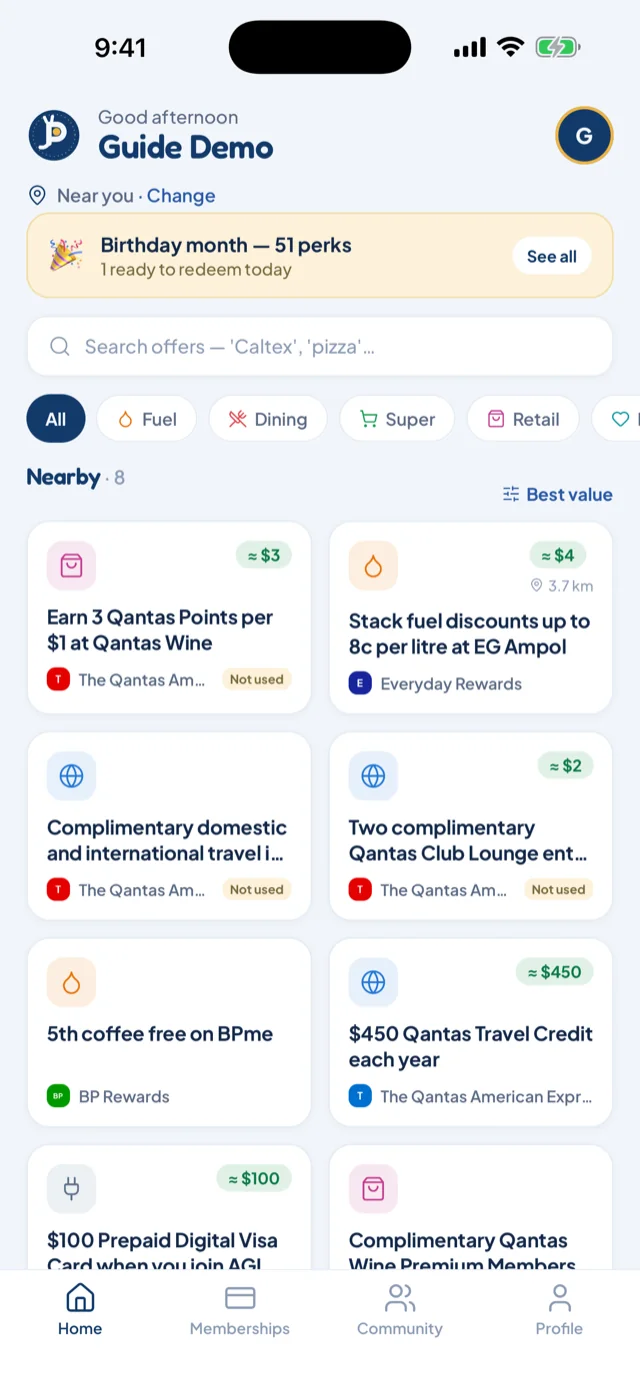
Home is your offer feed. Each offer is a card: what the deal is, who it's from, and — where it applies — a tag showing how far away it is. Where we can work it out, a green chip shows roughly what it's worth: dollars, a percentage or a rate.
Use the category pills at the top to narrow the feed to one kind of offer, or search when you're after something specific. Pull down to refresh.
The feed is built from the memberships you've added. If Home looks quiet, add a few more — every membership brings its offers with it.
Add your memberships
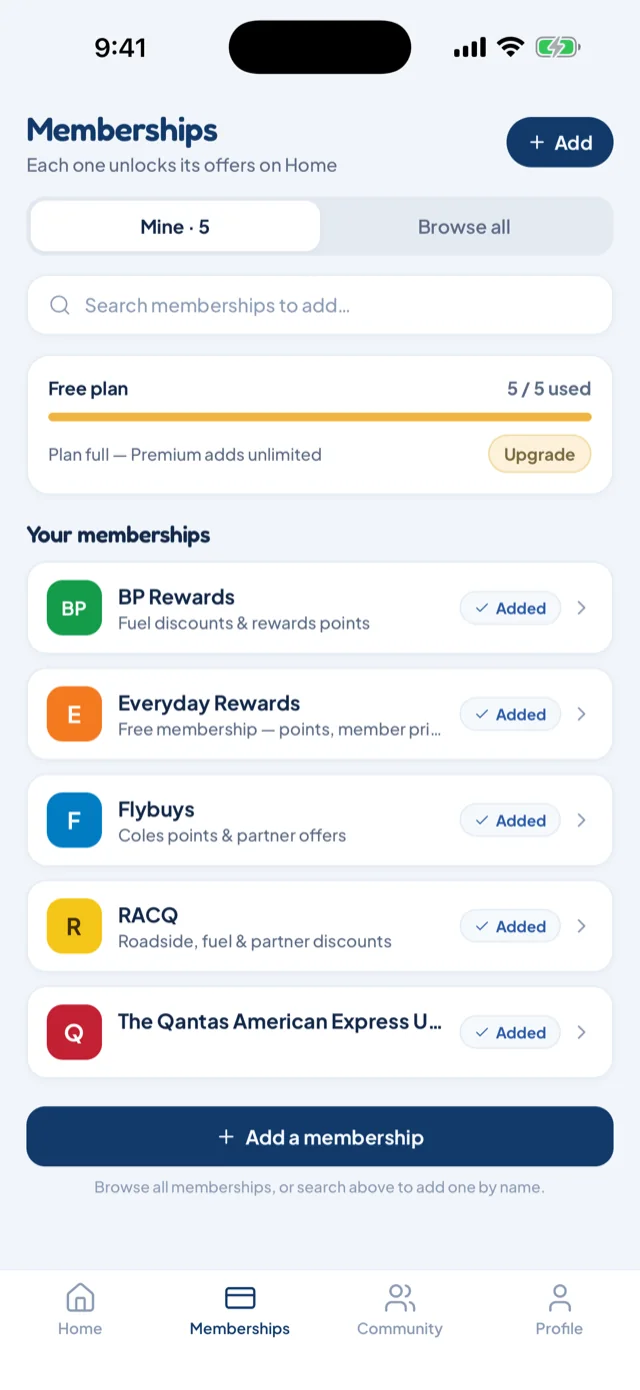
The Memberships tab has two views. Mine is the memberships you've added. Browse all is the full list of providers — search it to find yours quickly.
Tap a provider to add it. From that moment, its offers appear on Home.
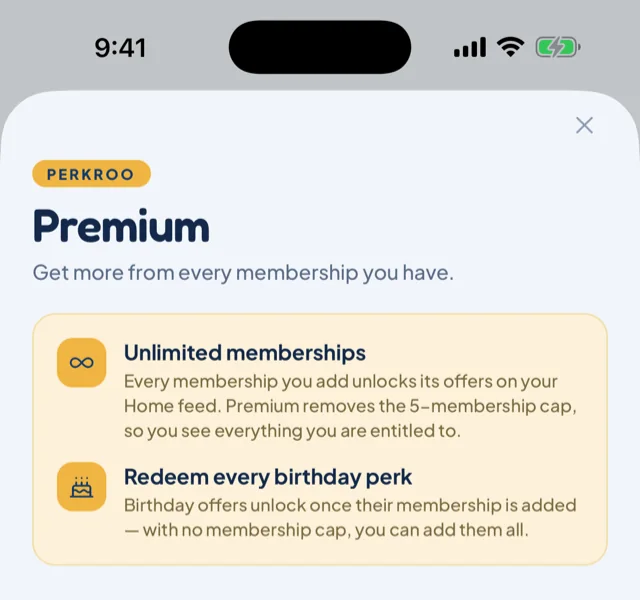
On the free plan you can hold 5 memberships at a time, and a small meter shows how many of your 5 you've used. Want to add them all? That's Premium.
Birthday perks
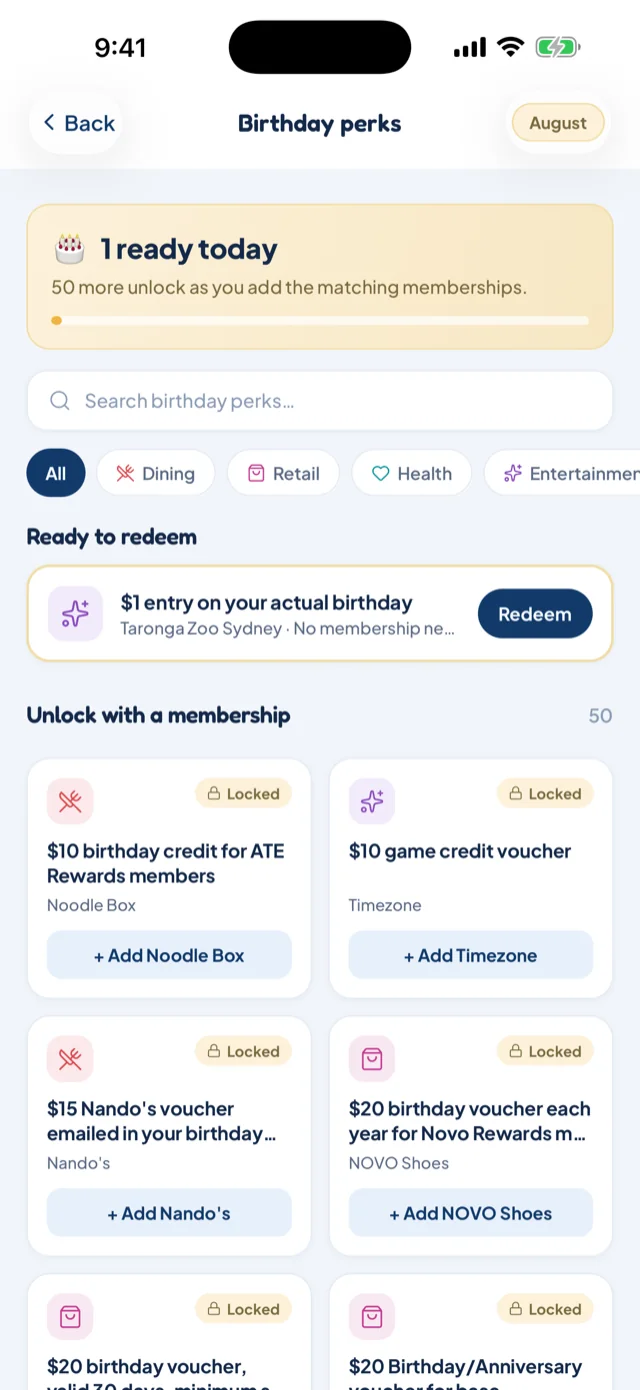
Tell Perkroo your birthday month, and it rounds up the birthday freebies your memberships include. Perks show up the month before your birthday too, so you have time to plan.
Tiles marked ready to redeem come from memberships you already hold. Locked tiles are perks from providers you haven't added yet — tap +Add on one to add the membership and unlock it.
Your card at the till
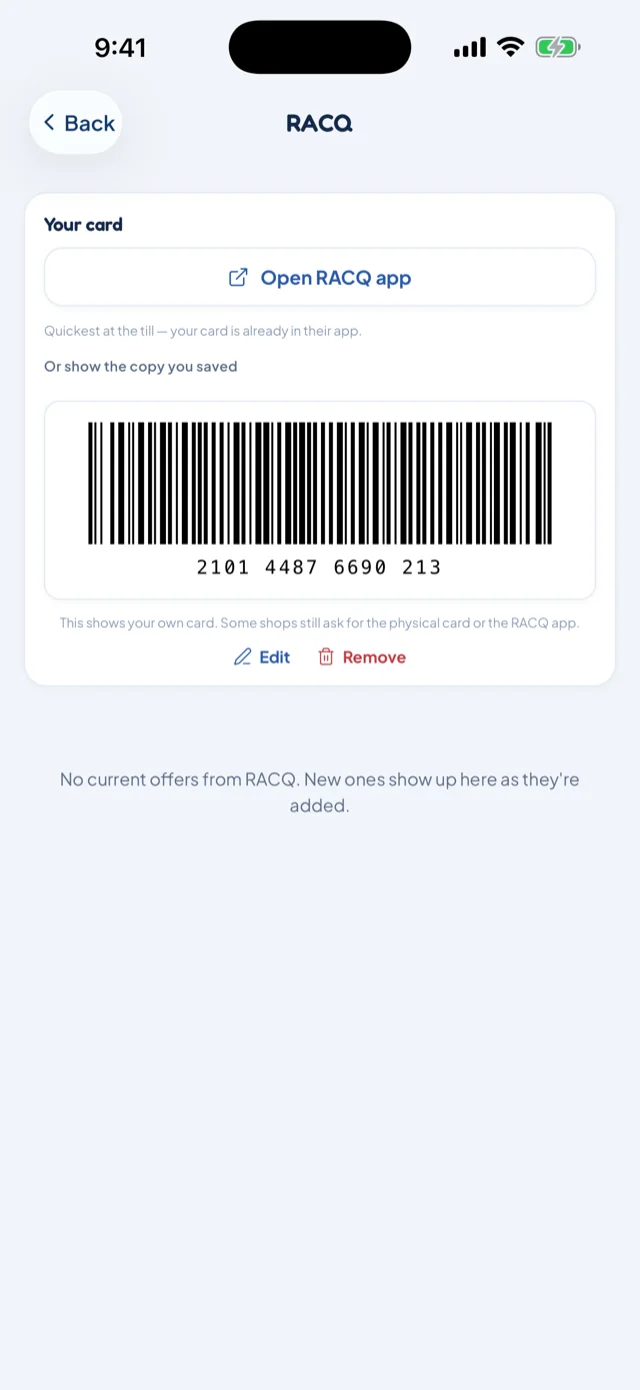
At the counter, you usually need to prove you're a member. Perkroo gives you three ways:
- Open the provider's own app — one tap takes you straight there.
- Show a barcode — type in your membership number once, and Perkroo draws it as a scannable barcode.
- Show a photo — snap a picture of the card itself and show that.
Your card numbers and photos stay on your phone. The numbers you type and the photos you take are never uploaded — we can't see them. Signing out removes them from the app, and deleting the app also deletes the photo files.
Community offers
Spotted a perk that isn't in Perkroo? Submit it from the Community tab — a photo helps, but it's optional. A moderator checks every submission before anyone else sees it; once approved, it goes live on Home.
Something wrong? Tap Suggest a correction on the offer — a moderator reviews every one.
Track your savings
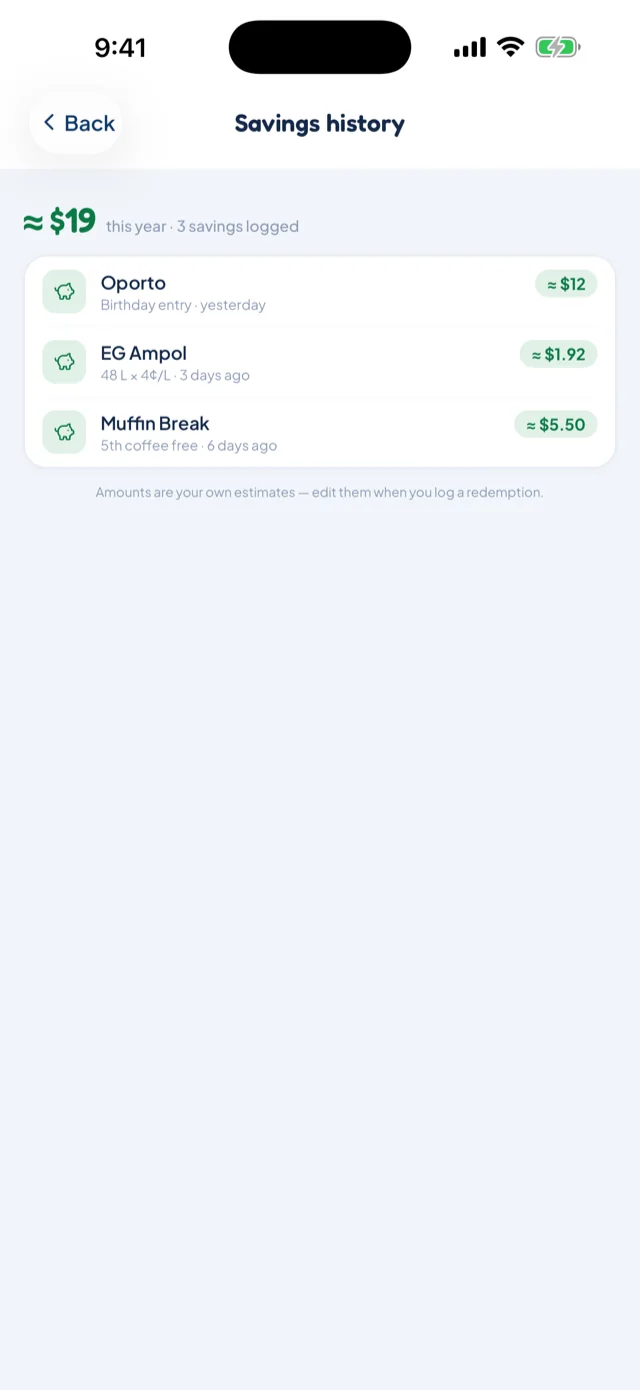
Each time you use an offer, log the redemption. Perkroo keeps the running total for you.
Your Profile shows your estimated savings — roughly what Perkroo has saved you so far — with your most recent savings listed underneath, so you can see the app paying for your memberships.
Perkroo Premium
Premium removes the 5-membership limit, so you can add every membership you hold. It also unlocks the card-network lists — perks that come with card networks such as Visa and Mastercard, on top of your bank's own offers.
Premium is billed by Apple to your Apple ID. To manage or cancel it, use your Apple ID subscription settings — deleting the app does not cancel an Apple subscription.
Location settings
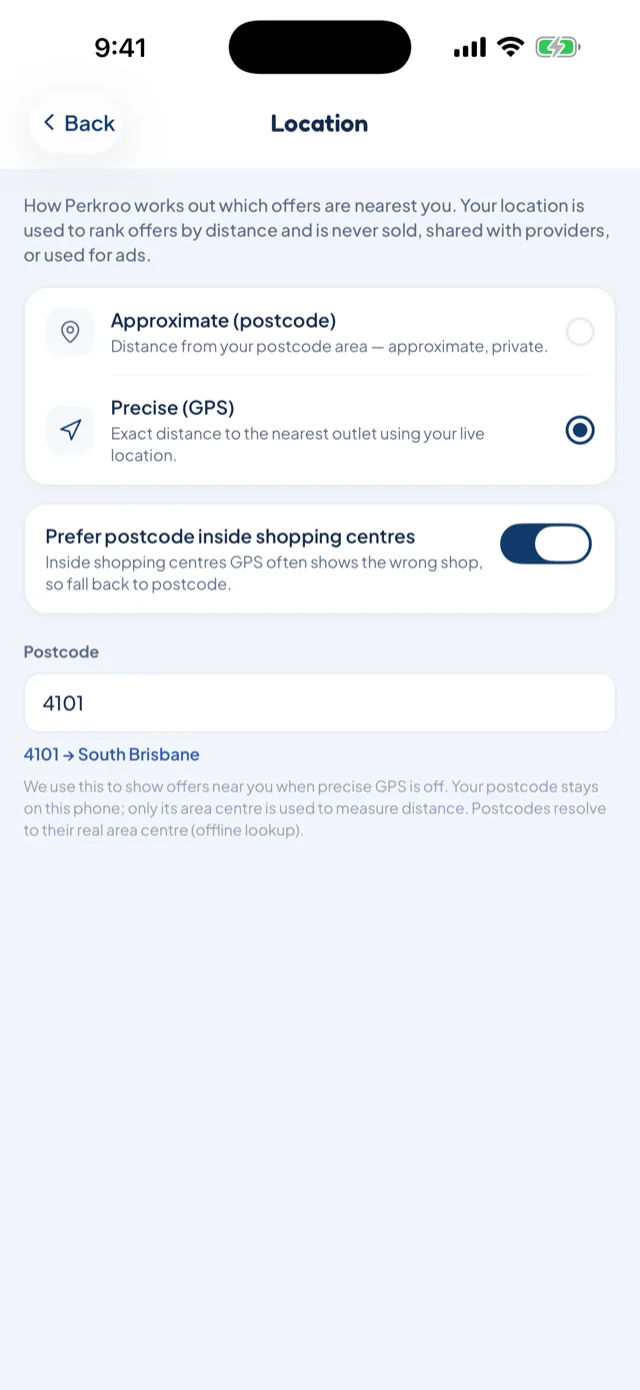
Perkroo uses your location for one thing: working out how far away offers are.
Approximate uses the centre of your postcode — near enough for distances, without ever involving your exact position. Precise uses GPS, so distances are exact. You can switch between them at any time in Location settings.
Not sure you typed the right postcode? Perkroo shows the suburb it covers, so you can check at a glance.
More questions? See Questions, answered.